

📅 Updated: June 2026⏱ 18 min read✍️ By NeuArc Ergonomics Team
You've done this before. You open Amazon or Flipkart, search for an office chair, and thirty minutes later you're drowning in listings — every one of them says "ergonomic," "premium lumbar support," and "adjustable." None of them tell you which one won't wreck your back within six months.
Here's the problem most guides don't address: the average Indian WFH professional sits 7–9 hours a day, often in a room without full-time AC, at a desk that's 72–75 cm tall, and buys a chair that was designed for someone 5 inches taller in a temperature-controlled office in another country.
This guide is written specifically for Indian WFH buyers. By the end, you will know exactly what each part of a chair does, which features matter for your hours and your body, what to skip at lower budgets, and how Indian conditions change the entire decision.
Lumbar support is the single most important feature. Mesh is non-negotiable for Indian summers. For 6+ hours daily: high-back, adjustable lumbar, and 2D armrests are the minimum. If you're above 5'8", a seat slider matters more than almost anything else. Under ₹8,000 you're paying for basic seating — ₹10,000–₹15,000 is where ergonomics actually starts.
1. What type of chair do you actually need?
Before comparing features, narrow down the type. Office chairs fall into four broad categories. Your daily hours and work style determine which category is relevant — everything else in this guide is irrelevant if you start with the wrong type.
Adjustable lumbar, breathable mesh back, multiple recline positions. Built for 6–10 hours daily. The right choice for 90% of Indian WFH professionals.
Formal appearance, PU or leather upholstery. Fine for boardrooms or under 4 hours daily. Traps heat — problematic in Indian summers without AC.
Minimal features, low adjustability. Works for 2–3 hours of light use. Not appropriate as a primary WFH chair for long sitting sessions.
Recline-heavy design with high sides. Works for gaming sessions. For pure desk work, ergonomic mesh chairs provide better posture support.
For daily desk work in India, an ergonomic mesh chair is the correct choice for 90% of buyers. Everything from this point forward focuses on how to choose the best one within this category.
2. The 8 components of every office chair — explained
Every office chair is made of the same 8 components. Understanding what each one does is what separates a buyer who can evaluate chairs accurately from one who relies on marketing buzzwords.

① Headrest
Supports the cervical spine (neck) during recline. Only useful if it adjusts to your actual neck height — a fixed headrest positioned for a 5'6" person provides no support for a 6'0" person. For active desk work you don't strictly need it, but for anyone who reclines periodically or takes breaks in their chair, a 2D adjustable headrest (height + angle) is worth specifying.
② Backrest
The vertical panel supporting your back. High-back extends from your lumbar up to neck level — essential for 6+ hours daily, as it supports the full thoracic and lumbar spine. Mid-back ends at shoulder blade height — acceptable for under 4 hours but leaves your upper back and neck unsupported during long sessions. For full-day WFH: always high-back.
③ Lumbar support
The single most important component in the chair. Your lower spine curves inward naturally — lumbar lordosis — and without support here, this curve collapses. Your discs bear excess pressure. Your shoulders round forward. Your neck juts ahead. This chain reaction is the mechanical cause of most desk-related back pain.
Three tiers exist: Fixed lumbar (built into the curve — better than nothing, but can't adjust to your spine height). Adjustable lumbar pad (moves up/down and sometimes in/out — the minimum to accept in a WFH chair). Suspended/floating lumbar (floats and adapts dynamically as you shift — the gold standard found in premium chairs).
④ Armrests
Reduce shoulder and neck strain by supporting your forearms, preventing your trapezius muscles from holding your arms up for hours. The variants — 1D (height only), 2D (height + pivot), 3D (adds width), 4D (adds forward/backward movement) — are explained in detail in the features section below.
⑤ Seat pan
The surface you sit on. Two dimensions matter: seat width (should accommodate your hips with 2–3 cm clearance on each side) and seat depth (distance from backrest to front edge). Correct seat depth = 2–3 finger gap between the seat edge and the back of your knees when your back touches the lumbar support. Too deep = the edge cuts into the back of your knees, restricting circulation. A seat slider adjusts depth forward/backward and is the fix for this problem — critical for users above 5'8".
⑥ Tilt mechanism
Controls how the backrest moves when you lean back. Basic tilt: seat and back move together as one unit — unnatural. Synchro-tilt: back reclines at 2× the rate of the seat (matching your body's natural movement) — the minimum to look for. Multi-lock recline: backrest locks at multiple angles between 90°–135° — lets you switch between active work posture and a rest position mid-day. Intelli-Adapt / auto weight-sensing: automatically adjusts resistance to your body weight — no manual tension knob needed.
⑦ Gas lift
The pneumatic cylinder controlling seat height. This is a safety component — a cheap, uncertified gas lift can fail structurally under sustained load. Always verify BIFMA-certified or Class IV gas lift. For Indian standard desk heights of 72–75 cm, your seat height needs to reach approximately 42–48 cm — verify the chair's gas lift range covers this.
⑧ Base and castors
The base carries the entire load. Nylon bases are standard at mid-range; chrome or aluminium signal higher build quality and weight capacity. Castors (wheels): PU-coated soft castors are designed for hard floors — marble, tile, wood — without scratching. Most Indian homes have hard floors, so soft/PU castors are what you want. Hard castors are for carpet only.
3. Chair dimensions — the measurements that matter
Chair dimensions matter more than most buyers realise. A chair with perfect features but wrong dimensions for your body will cause discomfort regardless of how good the specs look on paper.

| Dimension | What to check | Indian standard |
|---|---|---|
| Seat height | Gas lift range must cover the height at which your thighs are parallel to the floor, feet flat | 42–48 cm for most adults at 72–75 cm desk |
| Seat depth | Sit back fully — check for 2–3 finger gap behind your knees. Too deep = knee pressure | 44–50 cm standard. Seat slider solves fit issues. |
| Seat width | Hips should fit with 2–3 cm clearance each side — not squeezed, not swimming | 45–52 cm suits most Indian adults |
| Backrest height | Must reach at least the base of your neck for full spinal support at 6+ hrs | 55–70 cm from seat level for high-back |
| Armrest height | Arms at rest = shoulders relaxed, not raised. Forearms horizontal when typing | 19–27 cm above seat level |
4. 5 features ranked by impact on comfort
Not every feature deserves equal weight. Here they are ranked by how much each one actually affects your comfort during a full WFH day — so if budget forces tradeoffs, you know exactly what to protect and what to cut.
-
1Lumbar support — protect this at all budgets
Without adequate lumbar support, every hour of sitting adds compressive load to your L4-L5 discs. After weeks and months, this becomes chronic lower back pain. Minimum to accept: a height-adjustable lumbar pad. Worth upgrading to: suspended/floating lumbar at ₹12,000+. If your budget allows only one premium feature, spend it here.
Fixed → Adjustable pad → Suspended/floating -
2Seat material — mesh is non-negotiable for India
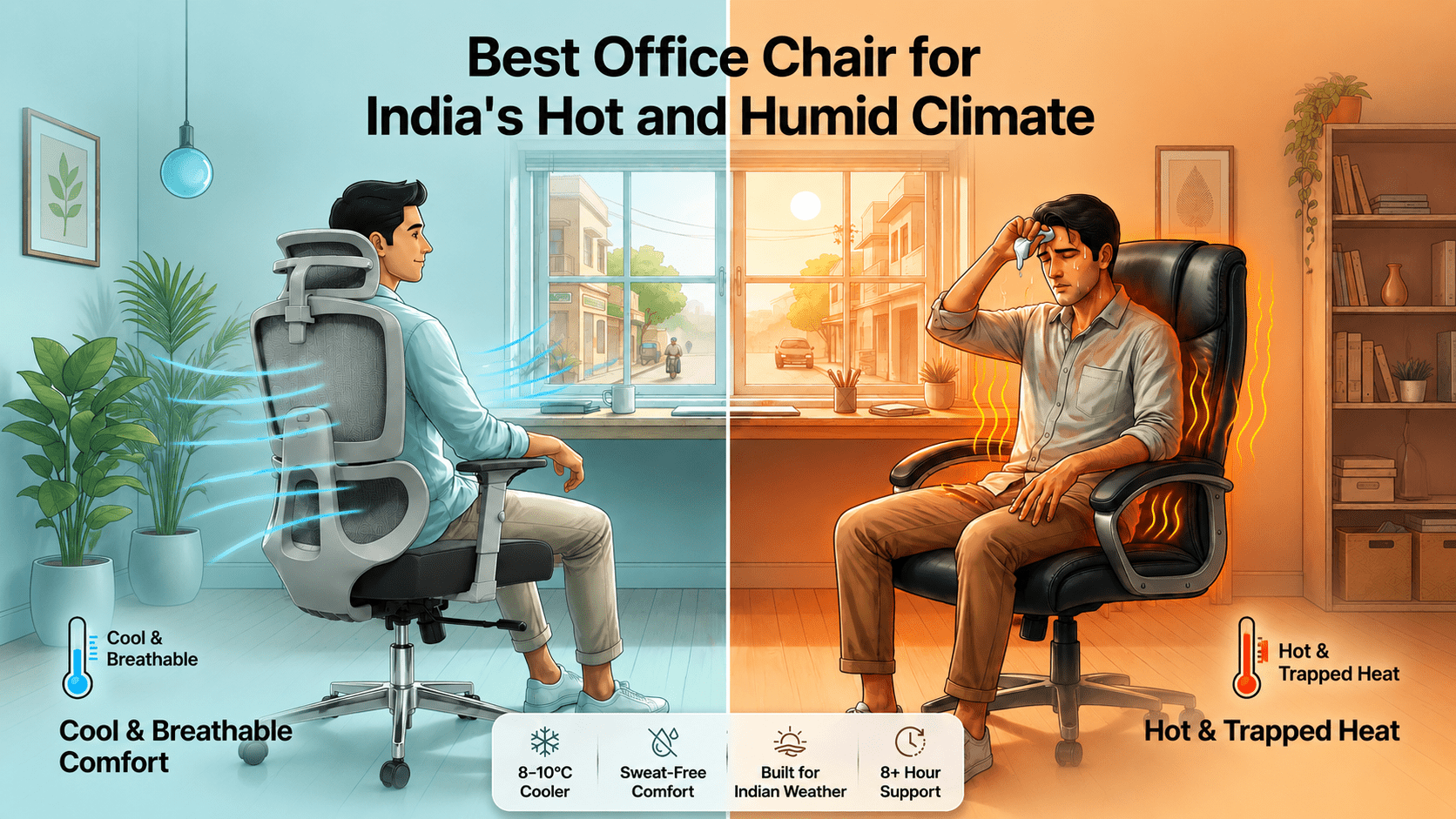
In a non-AC room at 32°C, a mesh backrest runs 8–10°C cooler than foam or leather at the contact surface. This isn't comfort — it's physiology. PU leather also peels in Indian humidity within 2–4 years. Korean wired mesh is the premium tier — it maintains tension for 5–7 years and never sags. Standard polyester mesh works for lighter use. Reinforced or Korean mesh for 8+ hrs daily.
Polyester mesh → Reinforced mesh → Korean wired mesh -
3Armrests — prevents shoulder and neck pain over time
Your trapezius muscles hold your arms up every minute they're not supported. Over hours, this creates shoulder and neck tension that compounds into chronic pain. 2D armrests (height + pivot) are the minimum for full-day use. 3D adds width adjustment — valuable if you switch between keyboard, mouse, and other tasks. At budgets under ₹12,000, 4D mechanisms are often imprecise — 2D or 3D is the practical sweet spot.
1D → 2D (minimum WFH spec) → 3D → 4D -
4Recline mechanism — posture variety reduces fatigue
Holding one posture for 8 hours causes muscle fatigue even in a perfect chair. The ability to switch between upright work posture and a reclined rest position mid-day significantly reduces spinal fatigue. Multi-lock recline (90°–135° with locking positions) is the minimum to look for. Synchro-tilt ensures the seat moves naturally with your body during recline. Intelli-Adapt auto-senses your body weight — no manual tension adjustment needed.
Basic tilt → Synchro-tilt → Multi-lock → Intelli-Adapt -
5Seat slider — critical for anyone above 5'8"
A seat slider adjusts the seat pan forward or backward by 5–8 cm. For taller users, standard chairs are too deep — the seat edge presses into the back of the knees, restricting circulation and creating discomfort within 2 hours. A seat slider solves this permanently. It's rare in chairs under ₹10,000 but increasingly available at ₹12,000–₹15,000. If you are above 5'8" and have ever felt discomfort behind your knees in a chair, this feature is non-negotiable for you.
Essential for users above 5'8" or below 5'3"
Footrest (useful only for specific medical conditions). Massage function (gimmick at this price tier — rarely used past week one). Built-in speakers or USB ports (gaming chair territory). 4D armrests under ₹15,000 (the rotation mechanism is often imprecise at this price point — 3D is the practical limit).
5. Chair fit for your body type and height
Most chairs are designed for a "standard" body: 5'5"–5'10" and 60–80 kg. If you fall outside this range — and a significant proportion of Indian buyers do — a standard chair will cause discomfort regardless of its features. Three body dimensions should drive your chair selection:
- Torso height → determines backrest height requirement
- Thigh length → determines seat depth requirement
- Hip width and body weight → determines seat width and load rating requirement
| Your profile | Key chair requirements | What to prioritise |
|---|---|---|
| Under 5'3" (petite) | Minimum seat height under 42 cm. Seat slider to avoid knee pressure. Mid-back may be more proportionate — many high-back headrests sit too high and push the head forward on smaller frames. | Low minimum gas lift range, shallow seat depth or seat slider, mid-back option |
| 5'3"–5'9" (average Indian range) | Most chairs fit this range. Focus on feature quality — lumbar type, armrest adjustability, recline mechanism — rather than dimensional fit. | Lumbar quality, armrest type, mesh grade |
| 5'9"–6'2" (taller users) | Seat slider is critical — prevents thigh compression. Taller backrest with headrest reaching the base of the skull. Higher gas lift range (up to 50–52 cm). Korean mesh for durability under sustained use. | Seat slider, tall backrest, extended gas lift range |
| Above 90 kg | Check rated load capacity explicitly. Foam seat preferred over mesh seat (mesh can deform under sustained heavy load). BIFMA-certified gas lift rated for actual weight. Chrome or aluminium base. | Load rating, BIFMA gas lift, base material, foam seat |
| Above 100 kg | Look specifically for 120–135 kg rated chairs. Standard chairs are rated 100–110 kg — verify before purchasing, as many listings don't display this prominently. Heavy-duty Class IV gas lift required. | 135 kg load rating, heavy-duty gas lift, chrome/aluminium base |
6. Why Indian WFH conditions change everything
Most ergonomic buying guides were written for buyers in temperate climates, in purpose-built home offices, with guaranteed AC, and at Western body proportions. Here is what changes for Indian WFH buyers specifically.
The heat and humidity factor — more important than most guides acknowledge
India's climate is one where most WFH professionals spend significant portions of the year in rooms at 28–35°C without consistent AC. In these conditions, chair material isn't a preference — it's a physiological variable.
Mesh backrest chairs run 8–10°C cooler at the back contact surface compared to foam or PU leather. In a 32°C room, this is the difference between manageable working conditions and accumulated discomfort that affects concentration and productivity within 90 minutes. This single factor makes mesh the practical default for Indian buyers — not a preference, not a premium option.
PU leather degrades in Indian conditions
The executive-style chairs common in the ₹8,000–₹15,000 range are almost always PU (polyurethane) coated fabric, not real leather. PU coating is susceptible to peeling when exposed to regular sweat and humidity. In Indian conditions, most PU chairs begin showing surface degradation within 2–3 years of daily use — earlier in warm, humid cities without full-time AC. Real leather doesn't have this problem but costs significantly more. Mesh has no equivalent degradation issue.
Standard Indian desk height and gas lift range
The standard desk height in India is 72–75 cm — lower than the 76 cm standard in Western markets. For a properly fitted chair at this desk height, most Indian adults (average male height 5'7", average female height 5'3") need a seat height of 42–47 cm. Many imported chairs have a minimum seat height of 47–49 cm. Verify the gas lift range covers your actual required seat height before purchasing — this is one of the most common sources of poor chair fit in the Indian market.
WFH apartment reality
Most Indian WFH professionals are not working in dedicated home offices. The chair sits in a bedroom, living room, or shared space. This changes the selection criteria in practical ways:
- Footprint matters — a wide executive base creates navigation problems in rooms under 10×10 ft.
- Aesthetics matter more — a chair that looks like corporate office furniture is jarring in a home.
- Castor noise matters — squeaky wheels on marble floors at 7am disturb family members in adjacent rooms.
- Assembly solo — most chairs arrive disassembled. Budget 20–40 minutes. Verify tools are included.
Warranty reality in India
A 3-year warranty is the minimum to accept. Verify explicitly: is the gas lift covered? Is the tilt mechanism covered? Many budget chair warranties cover "manufacturing defects" only — which is interpreted narrowly when you make a claim. The most important components to have covered are the gas lift and tilt mechanism, as these are the first to fail under daily sustained use.
7. Budget guide — what you actually get at each price tier
The honest version of the Indian ergonomic chair market at different price points — without the padding.
A chair you sit in for 8 hours/day, 250 days/year, for 5 years works out to approximately ₹1.20 per hour of use at ₹12,000. Physiotherapy for desk-related back pain costs ₹500–₹1,500 per session. The extra ₹3,000–₹4,000 to get a seat slider, better mesh, and 3D armrests is almost always the correct financial decision for full-time WFH professionals.
8. How to adjust your chair correctly — most people skip this
Buying the right chair is half the equation. Setting it up correctly for your body is the other half — and most people never do it. A ₹15,000 chair set up incorrectly will cause more pain than a ₹8,000 chair configured right. Follow these five steps in order after assembly:
-
1Set seat height first
Stand in front of the chair. Adjust the gas lift so the top of the seat is just below your kneecap. Sit down — thighs should be parallel to the floor with feet flat. For a 72–75 cm desk, most Indian adults need 42–47 cm seat height. If your feet dangle, the chair is too high. If your knees rise above your hips, it's too low.
-
2Set seat depth (if your chair has a seat slider)
Slide the seat until you can fit 2–3 fingers between the seat front edge and the back of your knees. This gap prevents hamstring compression while keeping your back fully in contact with the lumbar support. This is the step that solves thigh discomfort for taller users.
-
3Position the lumbar support
The lumbar pad should sit at the small of your back — between your L3 and L5 vertebrae, approximately at belt height. Adjust height (and depth if available) until you feel consistent, gentle support without being pushed noticeably forward. If you feel pressure at the top of your lower back, the pad is too high. If there's a gap between your lower back and the pad, it's too low.
-
4Set armrest height
Let your arms hang naturally with your shoulders completely relaxed. Raise the armrests until they just lightly touch your forearms in this position. Your shoulders should not be raised or pulled down — they should be at their completely natural resting height. Armrests set too high are one of the primary causes of shoulder tension.
-
5Set tilt tension and check your monitor
If your chair has a tilt tension knob, adjust it so you can lean back with moderate effort — not so loose you tip back accidentally, not so tight leaning requires significant force. Then — this step is often missed — look straight ahead in your adjusted sitting posture. Your eye line should hit the top third of your monitor screen. If you're looking down significantly, raise your monitor. A correctly adjusted chair often reveals a monitor positioning problem.
9. Quick-reference buying checklist
Before you finalise any chair purchase, run through this list. Every item marked as required is non-negotiable for full-day WFH use in India.
- ✓Lumbar support: Height-adjustable minimum. Suspended/floating for back pain sufferers.
- ✓Backrest material: Mesh — reinforced or Korean wired for 8+ hrs daily. Not foam, not PU leather.
- ✓Seat height range: Must reach 42–48 cm to fit standard Indian desk height of 72–75 cm.
- ✓Armrests: 2D minimum for full-day typing. 3D if you switch tasks frequently.
- ✓Recline: Multi-lock or synchro-tilt for posture variety throughout the day.
- ✓Seat slider: Required if you are above 5'8" or below 5'3". Adjust for 2–3 finger gap behind knees.
- ✓Gas lift: BIFMA certified or Class IV. Non-negotiable for safety in daily use.
- ✓Load capacity: Your body weight + minimum 15 kg buffer. Explicitly verified.
- ✓Castors: PU-coated / soft wheels for marble and tile floors. Not hard castors.
- ✓Warranty: 3 years minimum. Gas lift and tilt mechanism explicitly covered.
- ✓Budget reality: Under ₹8,000 = basic seating. ₹10,000–₹15,000 = real ergonomics.
10. Our recommendation — the NeuArc Urban series
Having covered every component, dimension, and feature in detail, here is where the NeuArc Urban series sits within this framework — and which profile each model is built for.
NeuArc Urban — For standard builds (up to 100 kg, 5'0"–6'0")
The Urban is built as a full ergonomic WFH chair for professionals sitting 6–8 hours daily. It addresses the most common failure points of mid-range Indian chairs:
- Korean mesh back — not standard polyester. Breathable and suitable for Indian summer conditions without consistent AC.
- Height-adjustable lumbar cushion — positions at your L3–L5 for genuine spinal support, not decorative padding.
- Multi-lock recline (90°–135°) — switch between active work posture and rest position mid-day without leaving your desk.
- 2D adjustable headrest — neck support during recline.
- Class IV BIFMA-certified gas lift — tested for sustained daily use.
- 60mm anti-scratch PU castors — appropriate for marble and tile floors.
- 3-year warranty covering gas lift, tilt mechanism, armrest mechanism, and wheelbase.
NeuArc Urban Pro — For taller and heavier users (up to 135 kg, up to 6'2")
The Urban Pro adds three components that make a significant practical difference for users above 5'8" or above 90 kg:
- Seat slider — adjusts seat depth to eliminate thigh compression for taller users. Rare at this price point in the Indian market. This single feature justifies the upgrade for users above 5'8" who have experienced discomfort behind their knees in standard chairs.
- 3D armrests — height, forward/back, and angle adjustment. Particularly valuable for programmers, designers, and users who switch between different desk tasks throughout the day.
- 135 kg rated capacity — chrome metal base with heavy-duty gas lift for users who find standard 100–110 kg rated chairs inadequate.
| Your situation | Best choice | Key reason |
|---|---|---|
| Full-time WFH, 6–8 hrs, under 5'9", up to 90 kg | NeuArc Urban | Korean mesh + adjustable lumbar + multi-lock recline covers everything needed for a full WFH day |
| Full-time WFH, above 5'8" or experiencing thigh/knee discomfort in chairs | NeuArc Urban Pro | Seat slider eliminates the thigh compression problem standard chairs can't solve |
| Heavy user — above 90–100 kg, need long-term reliability | NeuArc Urban Pro | 135 kg rated, chrome base, 3-year warranty on all key mechanisms |
| Back pain as primary concern | Either Urban model | Focus on lumbar adjustment — set to belt height, dial in depth until lower back feels consistently supported |
| Programmer or designer switching tasks frequently | NeuArc Urban Pro | 3D armrests allow forearm positioning across keyboard, mouse, and other surfaces |
- Office chair for lower back pain while WFH in India
- Mesh vs foam office chair — which is better for Indian summers
- Ergonomic chair parts explained — complete reference
- Best ergonomic chair under ₹15,000 India — honest guide
- Best office chair for small room WFH India
- How to adjust your office chair correctly — step by step
Frequently asked questions
Yes — for anyone sitting 6+ hours daily, an ergonomic chair is a health investment. A ₹12,000 chair spread over 5 years is ₹1.20 per hour of use. A single physiotherapy session for desk-related back pain costs ₹500–₹1,500. The question is not whether to buy one but which features to prioritise at your budget.
At ₹10,000–₹15,000, look for: height-adjustable lumbar, Korean or reinforced mesh back, multi-lock recline, BIFMA-certified Class IV gas lift, and 2D or 3D armrests. For users above 5'8", a seat slider is the single most important feature at this price point — it prevents the thigh compression problem that standard chairs cannot address.
Yes — significantly, for anyone without consistent full-time AC. Mesh chairs run 8–10°C cooler at the back contact surface compared to foam or PU leather. PU leather also peels in Indian humidity within 2–4 years of daily use. Mesh requires no special maintenance and does not degrade from heat or sweat.
For a desk at 72–75 cm (the Indian standard), most Indian adults need a seat height of 42–47 cm. Verify the chair's gas lift range covers this before purchasing — many imported chairs have a minimum seat height of 47–49 cm, which is too high for a standard Indian desk and most Indian body proportions.
A seat slider adjusts the seat pan forward or backward, changing the effective seat depth. If you're above 5'8", the standard seat depth on most chairs is too long — the edge presses behind your knees when your back is against the lumbar support, cutting off circulation. A seat slider eliminates this permanently. If you've ever felt discomfort behind your knees in a chair, you need one.
BIFMA (Business and Institutional Furniture Manufacturers Association) is a third-party safety standard that tests components for sustained daily commercial use. A BIFMA-certified gas lift has been tested for 100,000+ actuation cycles under load. Uncertified gas lifts from unverified suppliers can fail structurally under daily use — this is a safety concern, not just a durability one. Always verify this on the gas lift specifically.
Not for active upright desk work — in an upright posture, a properly positioned headrest doesn't contact your neck anyway. Headrests become genuinely useful if you recline periodically, take calls leaning back, or have existing neck stiffness. If you use your chair for both desk work and reclining breaks, a 2D adjustable headrest is worth specifying.
A quality mesh chair used 8 hours daily should last 5–7 years with basic maintenance. Wipe the mesh monthly to prevent dust accumulation in the weave. Tighten base bolts every 6 months. Korean wired mesh maintains its tension for the full lifespan — standard polyester mesh may begin to sag after 3–4 years of heavy daily use.
Yes — for preventive reasons. Desk-related back pain develops over months and years of cumulative postural strain, not overnight. Adjustable lumbar support maintains the natural inward curve of your lower spine throughout the day, preventing the disc compression that leads to pain. Waiting until you have pain to address this is equivalent to skipping eye protection until your vision deteriorates.
2D armrests adjust height and pivot angle. 3D adds width adjustment — moving the arm pads closer together or further apart. 4D adds a forward/backward slide. For most WFH users, 2D covers all essential adjustment. 3D becomes genuinely useful if you switch between keyboard work, a drawing tablet, or other tasks with different arm positions. At mid-range prices, 4D mechanisms are often imprecise — 3D is the practical upper limit.

Leave a comment
This site is protected by hCaptcha and the hCaptcha Privacy Policy and Terms of Service apply.